
Documentation Index
Fetch the complete documentation index at: https://openmetadata-codex-fix-python-sdk-doc-examples.mintlify.app/llms.txt
Use this file to discover all available pages before exploring further.
Getting Started: Day 1
Get started with your OpenMetadata service in a few simple steps:- Set up a Data Connector: Connect your data sources to begin collecting metadata.
- Ingest Metadata: Run the metadata ingestion process to gather and push data insights.
- Invite Users: Add team members to collaborate and manage metadata together.
- Explore the Features: Dive into OpenMetadata’s extensive feature set to unlock the full potential of your data.
Step 1: Set up a Data Connector
Once you have logged into your OpenMetadata instance, set up a data connector to start ingesting metadata. OpenMetadata provides 90+ turnkey connectors for a wide range of services, including:- Databases
- Dashboards
- Messaging services
- Pipelines
- ML models
- Storage services
- Other metadata services
- Run the connector in OpenMetadata: In this scenario, an IP will be provided when you add the service. You must allow access to this IP in your data sources.

Run the connector in OpenMetadata
Guide to start ingesting metadata seamlessly from your data sources.
- Run the connector in your infrastructure or on a local machine:: This hybrid model allows organizations to run metadata ingestion components within their own infrastructure. This ensures that OpenMetadata’s managed service doesn’t need direct access to the underlying data. Only metadata is collected locally and securely transmitted to the platform, maintaining data privacy and security.
Step 2: Ingest Metadata
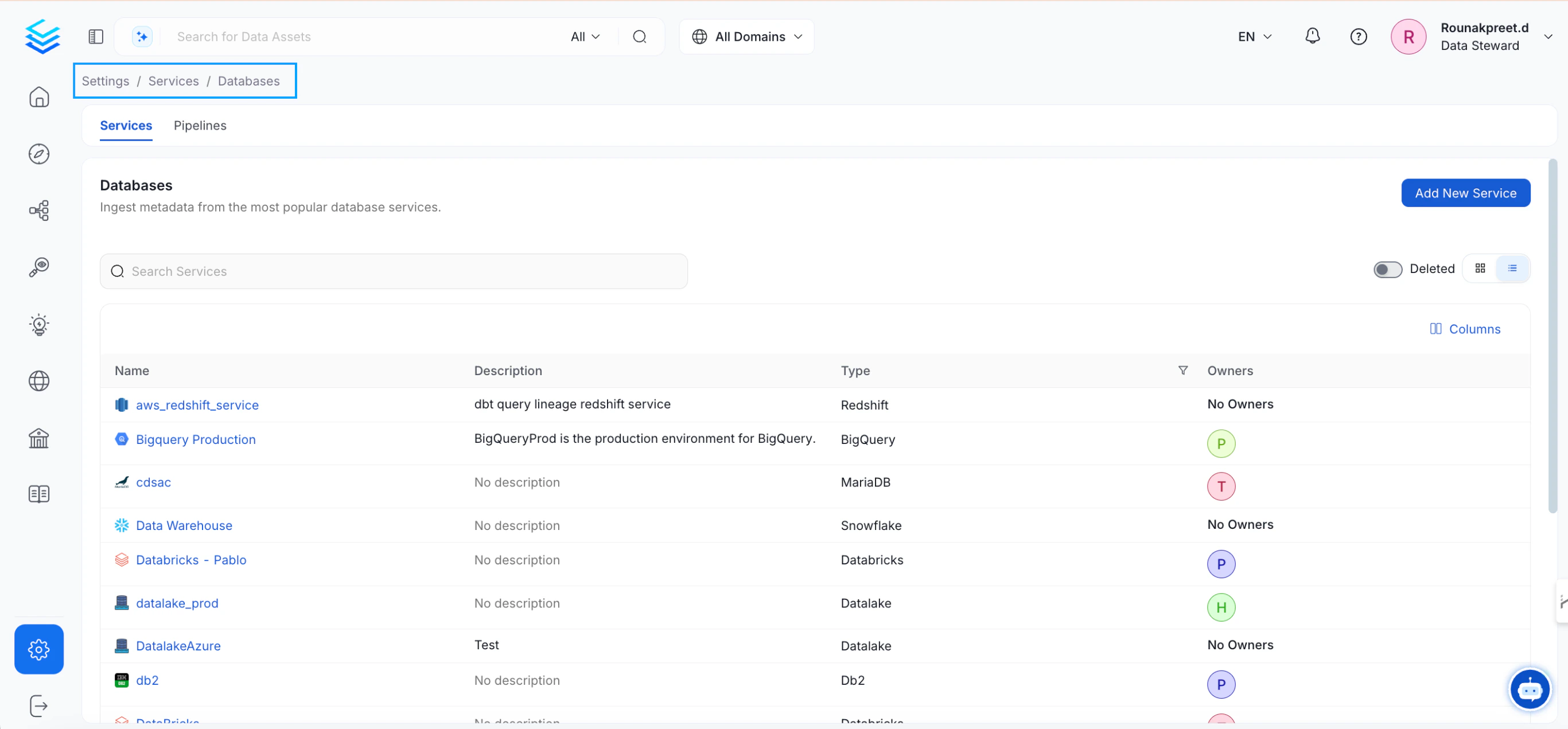
Once the connector is set up, configure a metadata ingestion pipeline to import metadata into OpenMetadata on a regular schedule.- Navigate to Settings > Services > Databases and select the service you added.
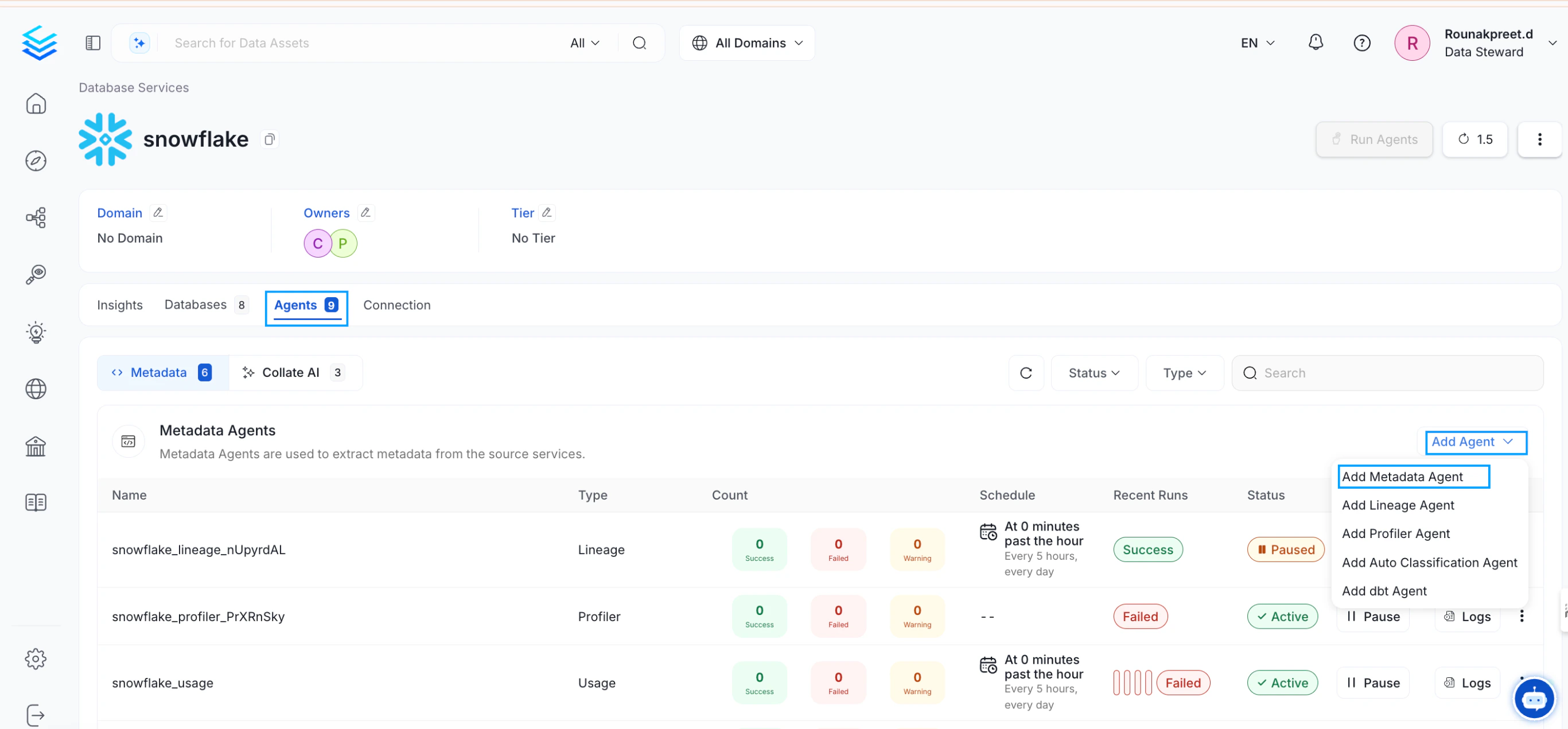
- Go to the Agents tab and click Add Metadata Agent.
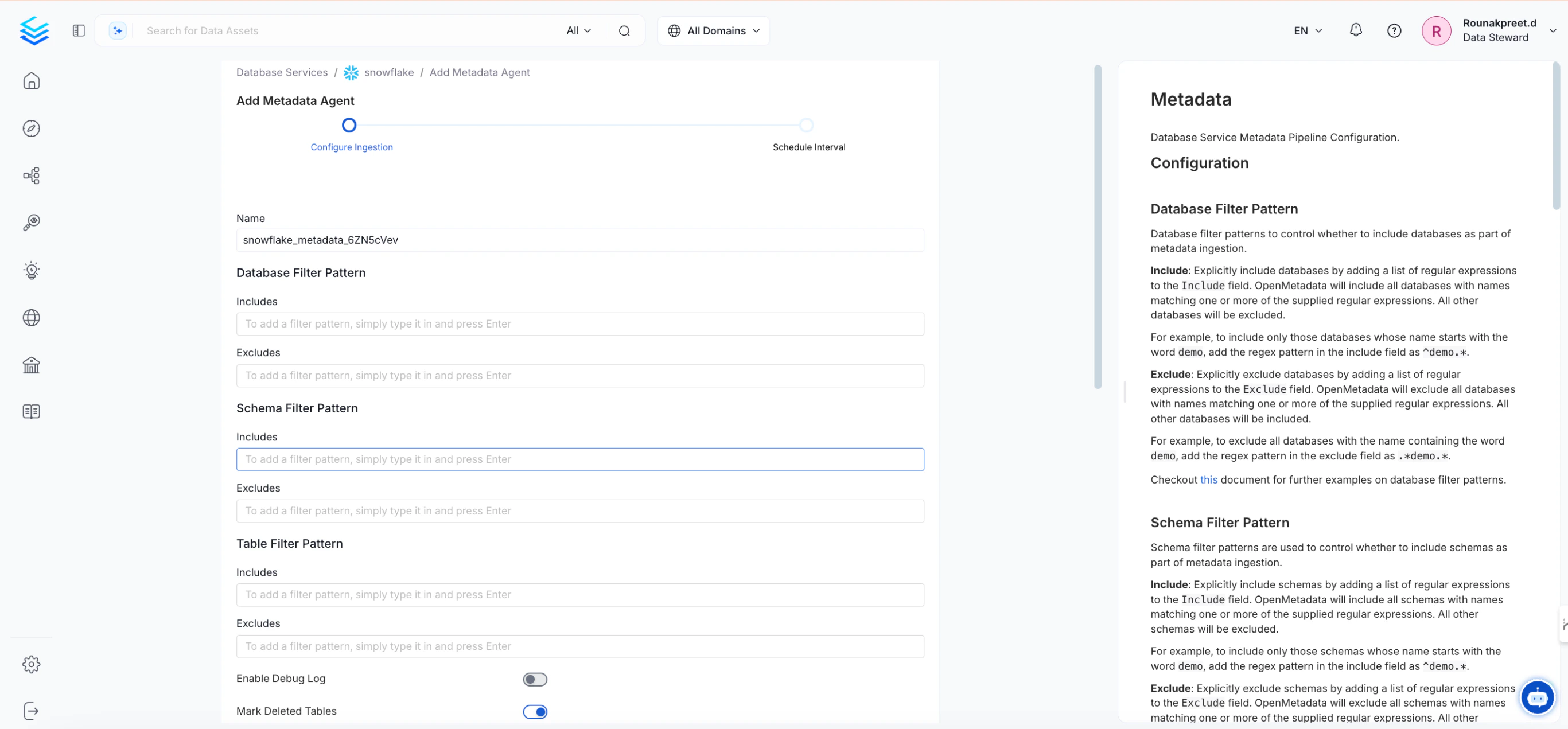
- Configure any required settings or filters for the ingestion process. Documentation is available in the side panel for reference.
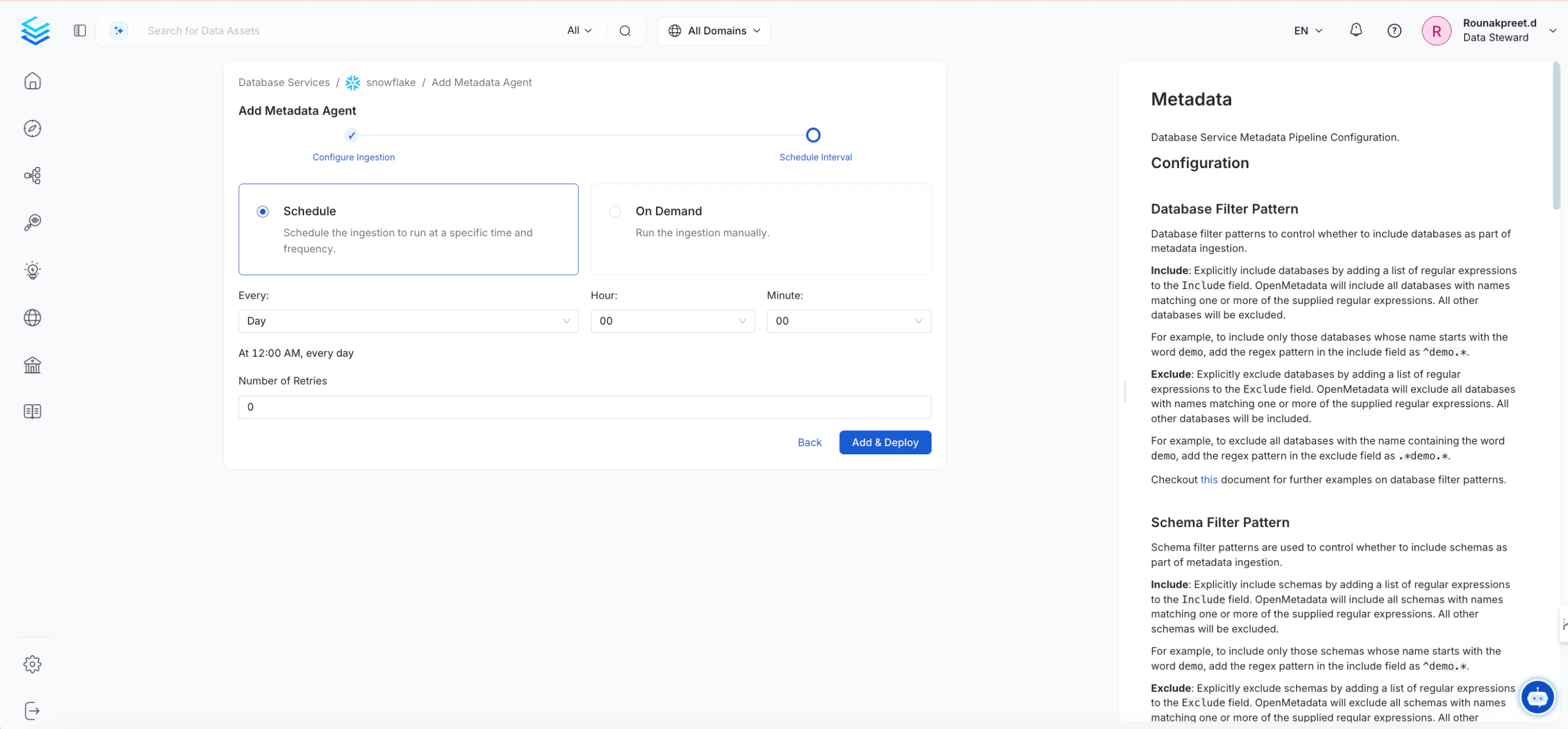
- Schedule the pipeline to ingest metadata at regular intervals.
- In addition to metadata ingestion, you can set up pipelines for lineage, profiler data, or dbt information.
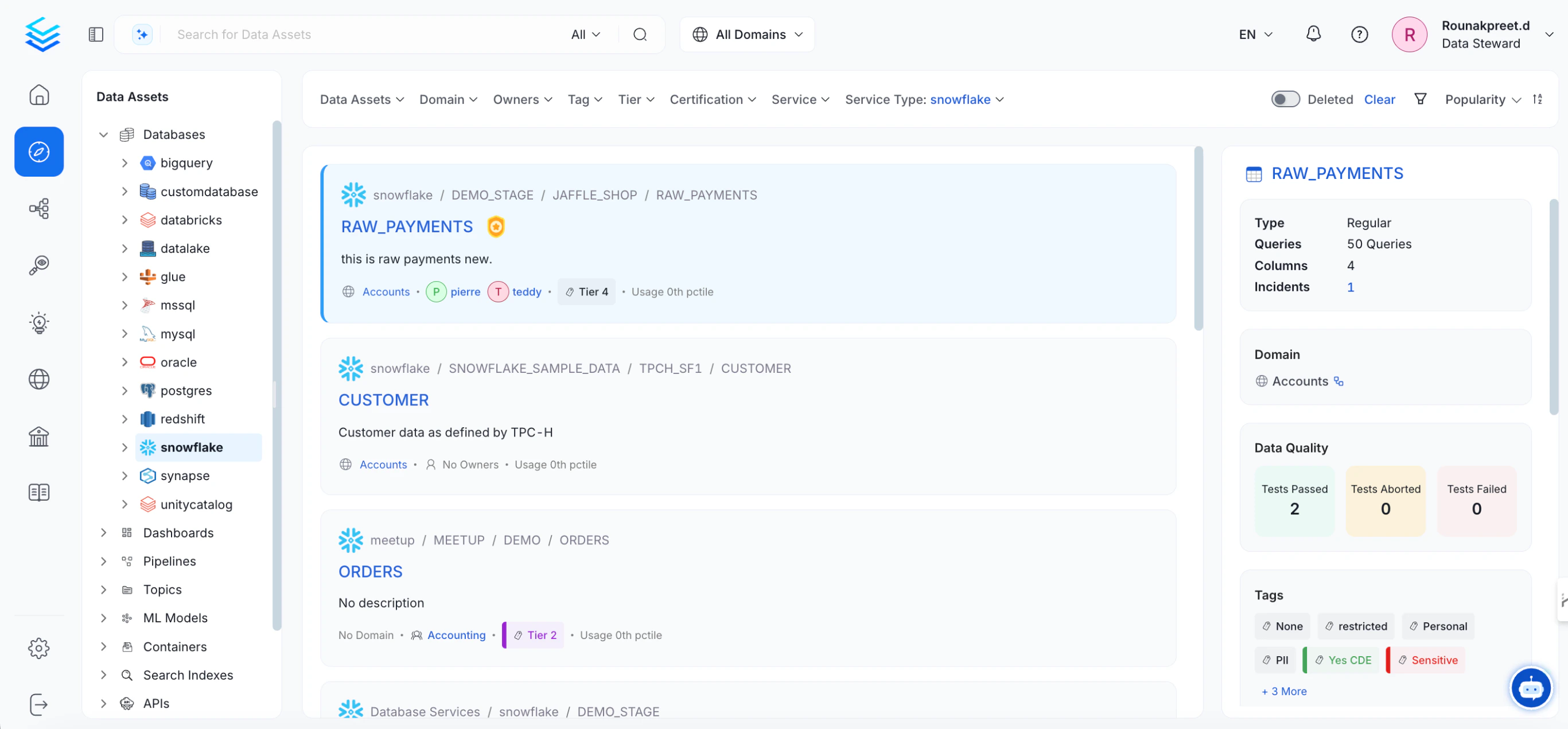
- Once the metadata ingestion is completed, the ingested data assets can be viewed under the Explore section in the main menu.
- You can repeat these steps to ingest metadata from other data sources as needed.
Step 3: Invite Users After Setting Up SMTP
SMTP Configuration
To invite users you will need to ensure that you have an SMTP server available. With the information for your SMTP server you can configure OpenMetadata to send email alerts by updating the details from the UI. To update the details from the UI, navigate to Settings > Preferences > Email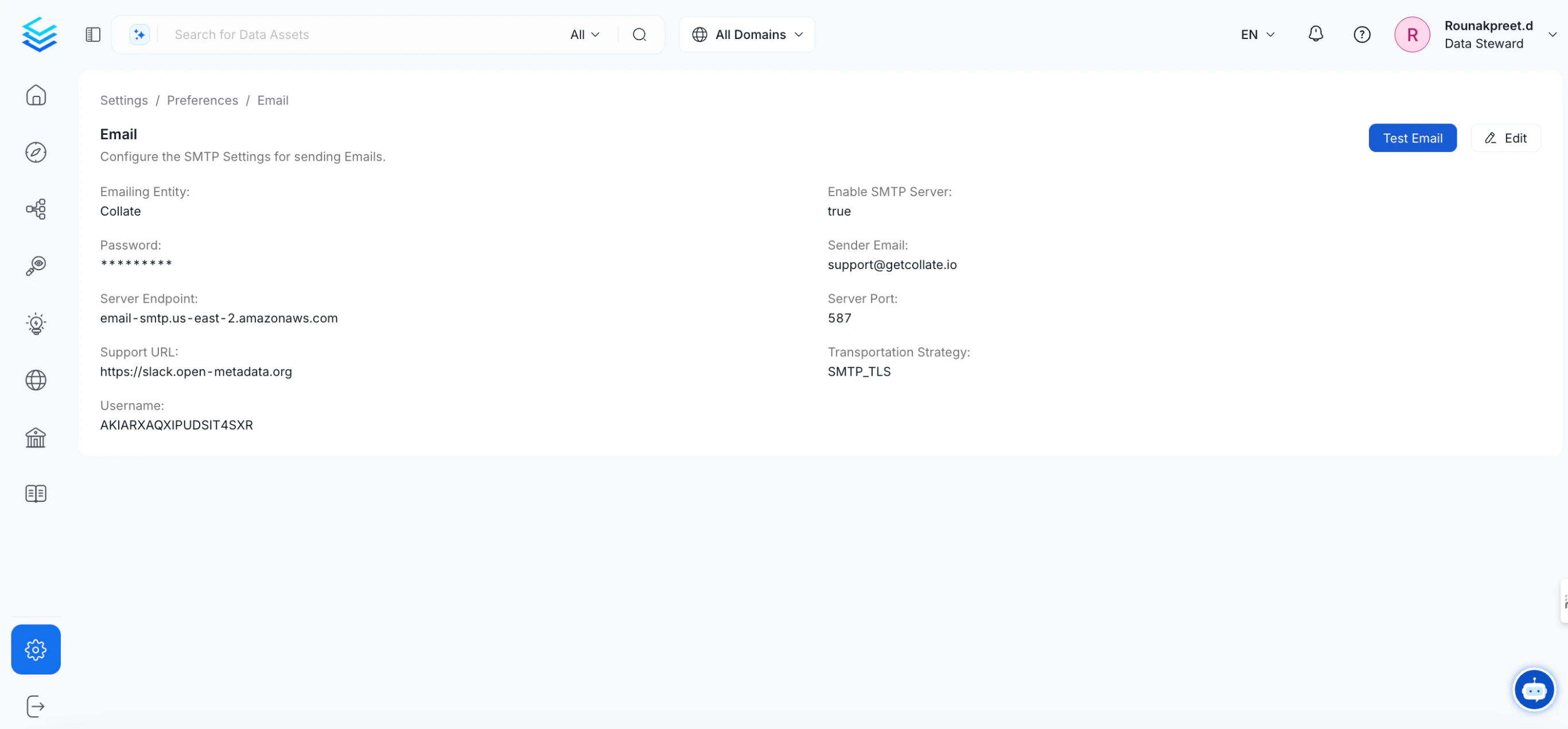
Inviting Users
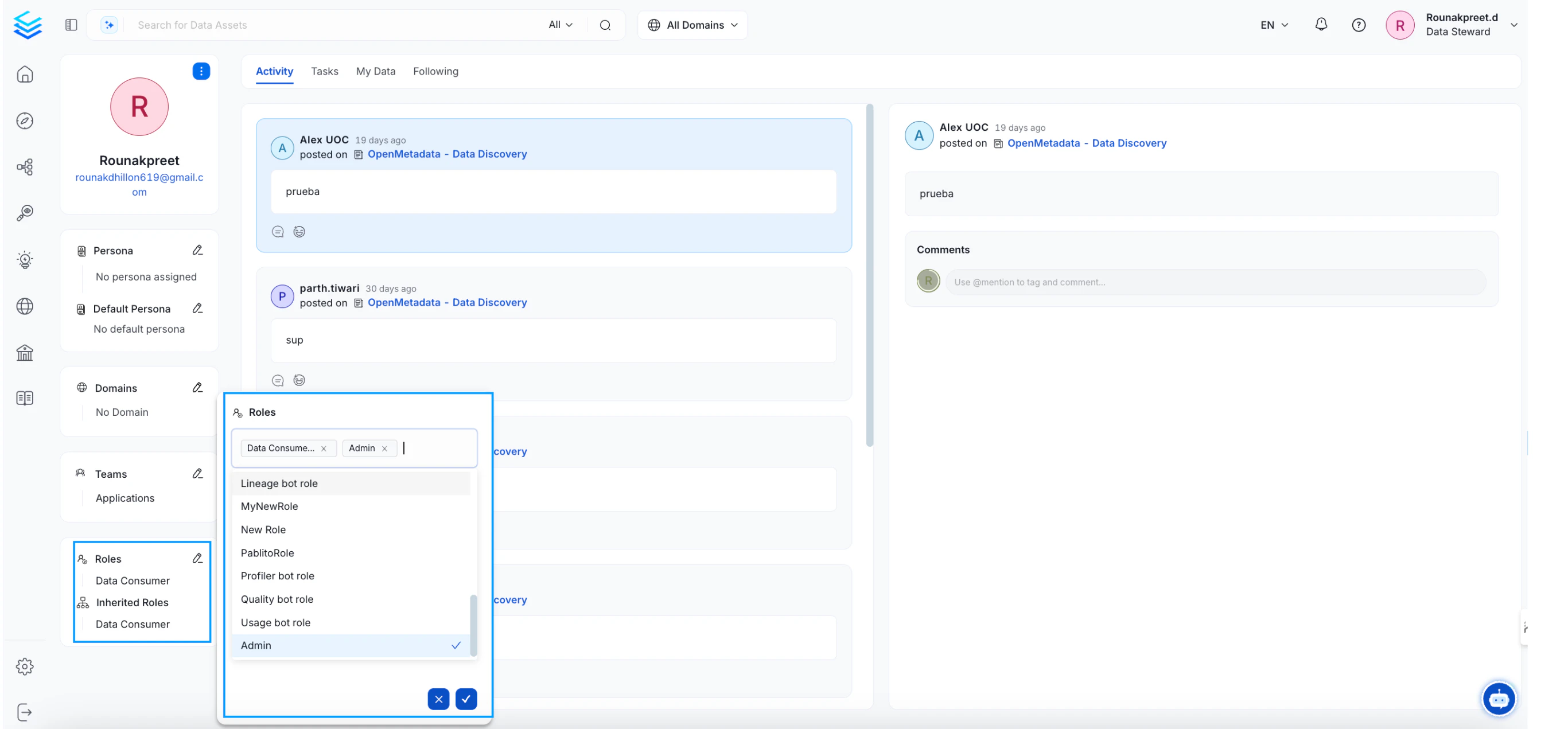
After metadata has been ingested into OpenMetadata, you can invite users to collaborate on the data and assign different roles.- Go to Settings > Team & User Management > Users.
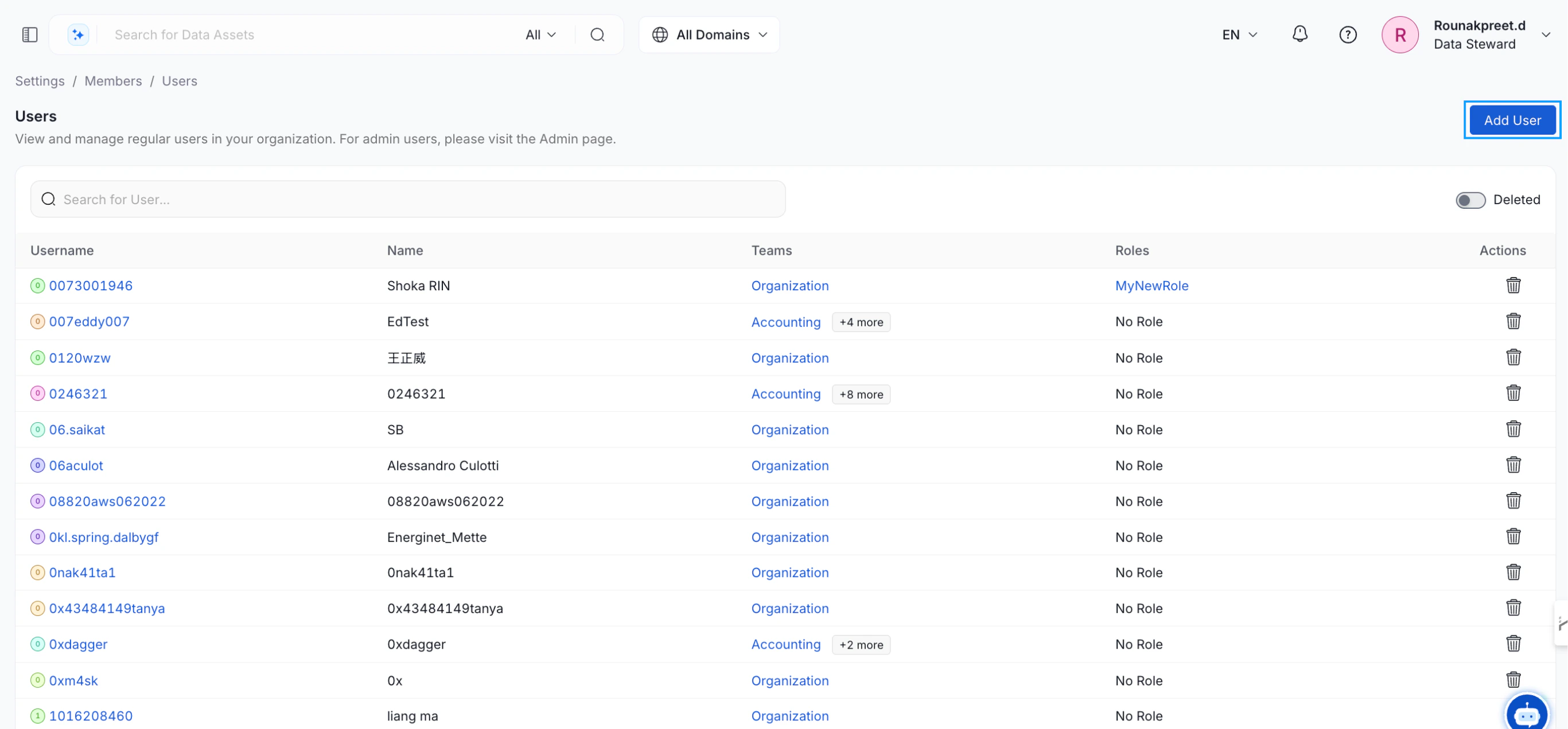
- Click Add User, then enter their email and other required details to grant access to the platform.
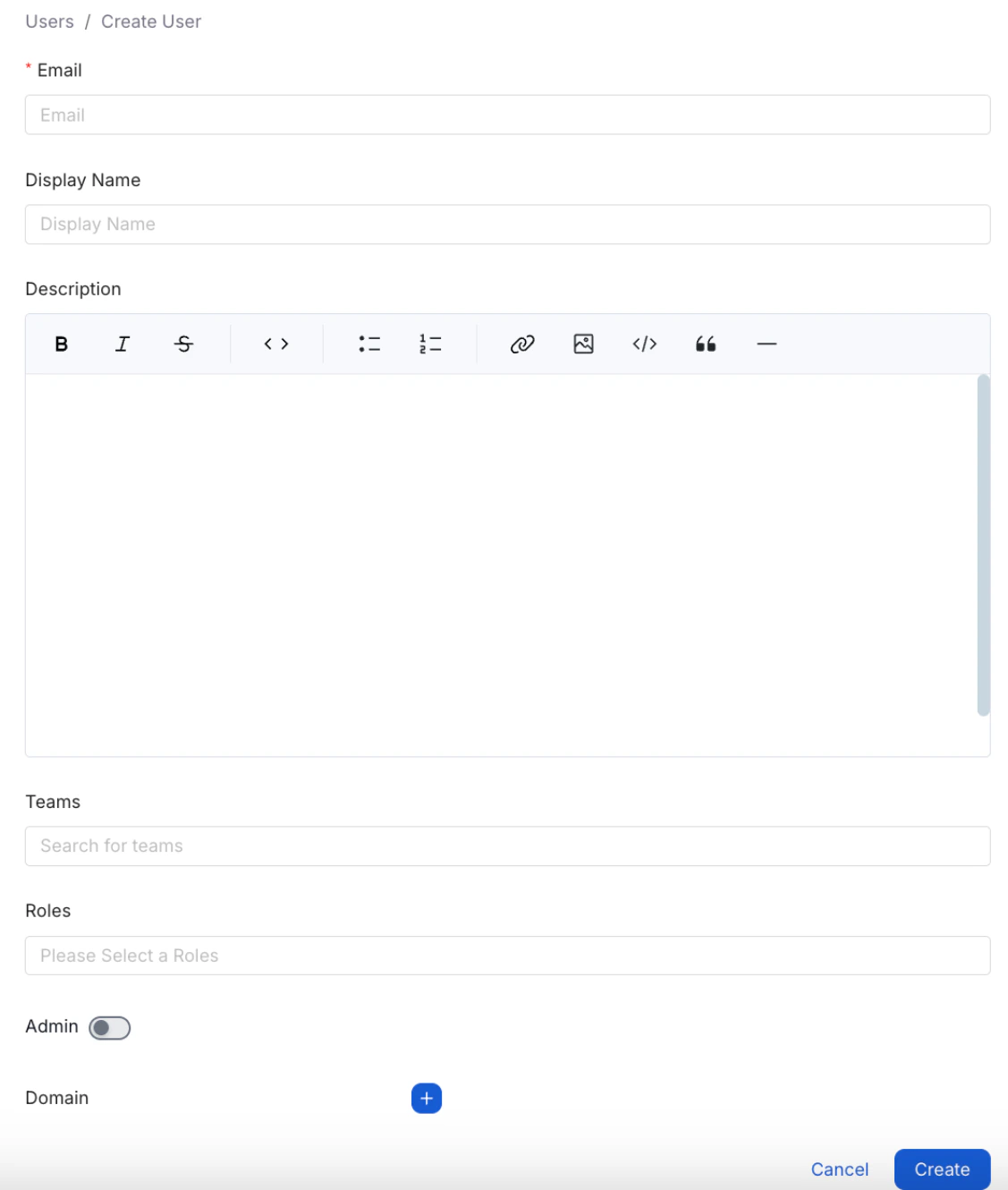
- Organize users into different Teams, and assign them specific Roles.
- Users inherit access permissions from their assigned teams and roles.
- Admin access can be granted to users who need full access to all settings, including the ability to invite new users.
- New users will receive an email invitation to set up their accounts.
Step 4: Explore Features of OpenMetadata
OpenMetadata offers a comprehensive platform for data teams to:- Break down data silos
- Securely share data assets across various sources
- Foster collaboration around trusted data
- Establish a documentation-first data culture within your organization
Data Discovery
Discover the right data assets to make timely business decisions.

Data Collaboration
Foster data team collaboration to enhance data understanding.

Data Quality & Observability
Trust your data with quality tests & monitor the health of your data systems.

Data Lineage
Trace the path of data across tables, pipelines, and dashboards.

Data Insights
Define KPIs and set goals to proactively hone the data culture of your company.

Data Governance
Enhance your data platform governance using OpenMetadata.
Deep Dive into OpenMetadata: Guides for Admins and Data Users

Admin Guide
Admin users can get started with OpenMetadata with just three quick and easy steps & know-it-all with the advanced guides.

Guide for Data Users
Get to know the basics of OpenMetadata and about the data assets that you can explore in the all-in-one platform.